

Skip to content
Sign in

Loudness
isn’t just
gain.

More drive, more density, more energy you can feel. PUSH shapes signal peaks and raises loudness. CLEAN, COLOR and EDGE give the density a character of its own.

VST3 · AU · AAX Native on macOS
A FORM DSP product

Master Density for the whole song

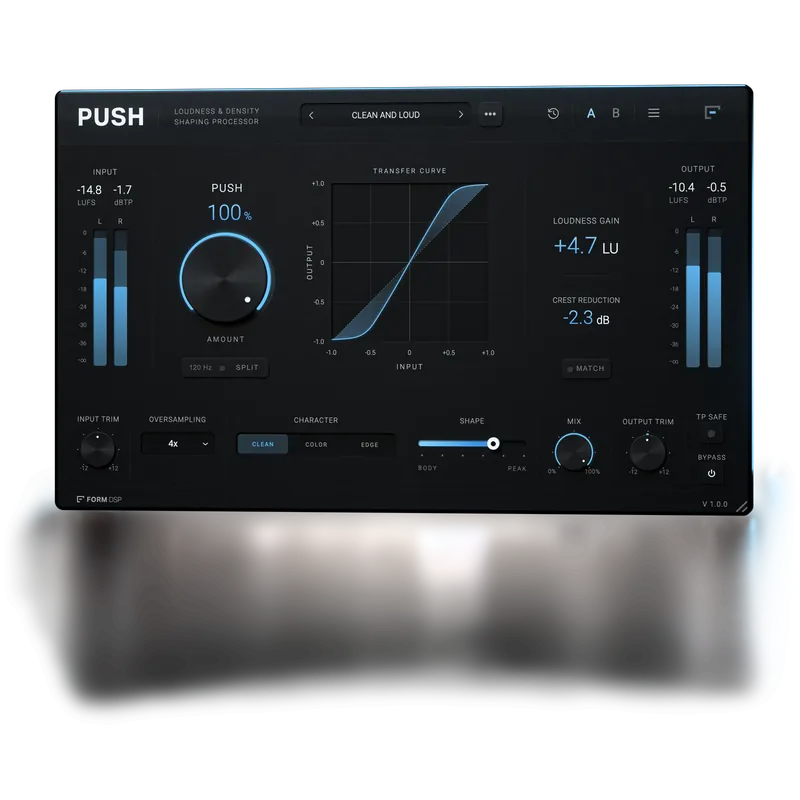
CLEAN gives the song more density and loudness while holding back on colour of its own.

Loudness
−8.1LUFSOriginal −13.6
True Peak
0.0dBTPOriginal −1.2
Crest
9.9dBOriginal 14.2

How much density
is in your sound?

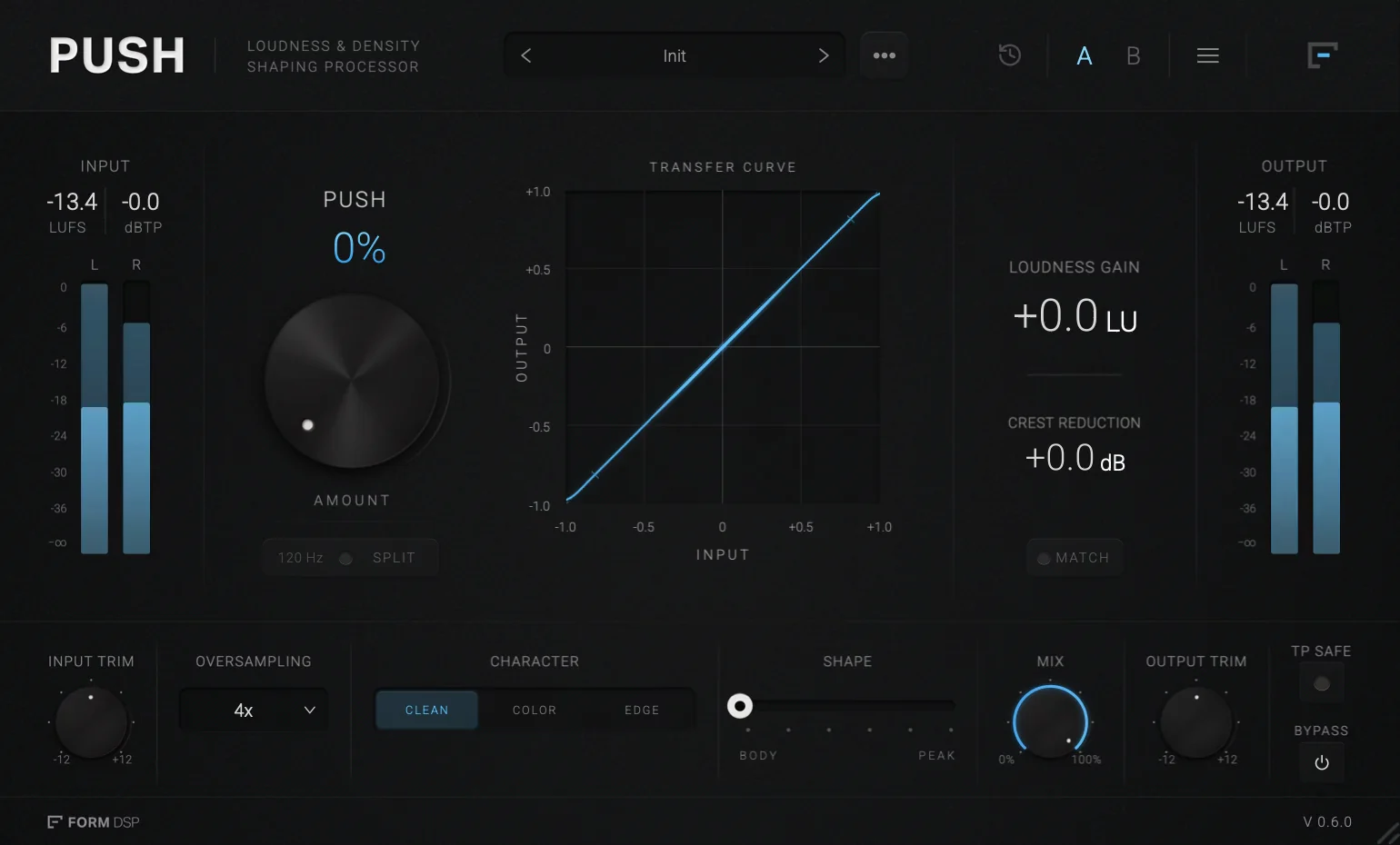
AMOUNT strengthens the shaping of the waveform. The sound gets denser, loudness rises and the chosen character comes further forward.

LOUDNESS GAIN shows the loudness gain in LU. CREST REDUCTION shows in dB how much closer average level and peaks move together.

Clean
Density with a clear sound

CLEAN adds density and raises loudness while its own colour stays subtle. For a fuller, more compact sound on tracks, buses and the mix bus.

Color
Warmth through harmonics

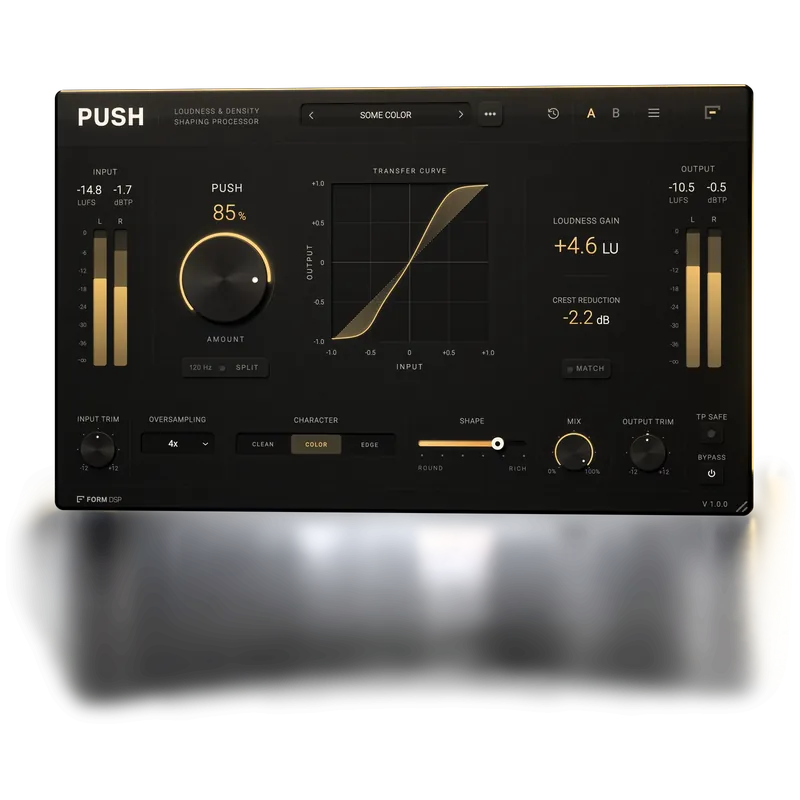
COLOR combines density with audible colouring. Added even harmonics give vocals, instruments and mixes more body and warmth.

Edge
Bite from shaped peaks

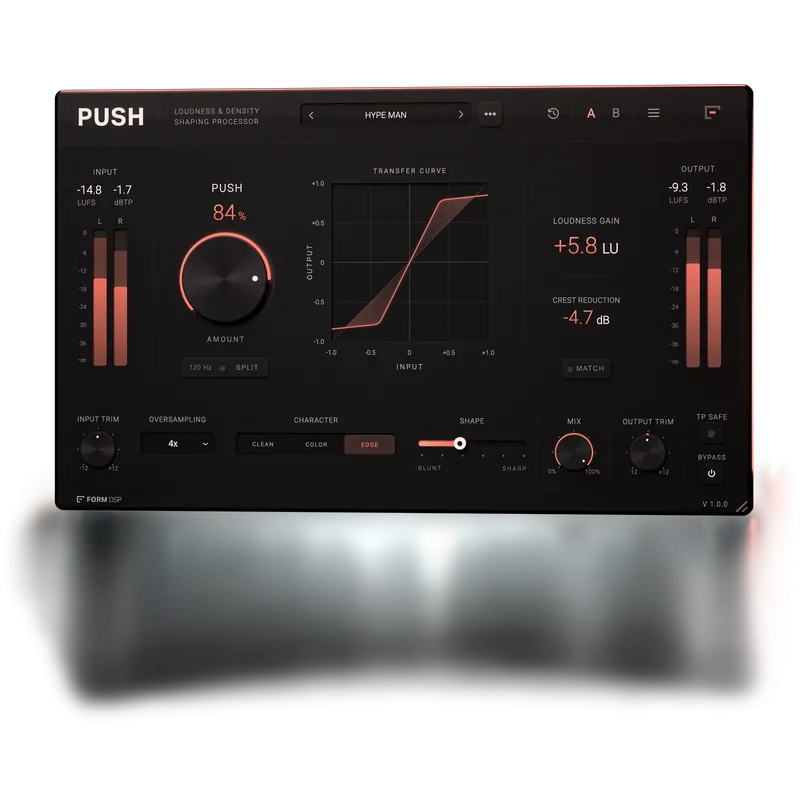
EDGE works on the signal peaks. From precise limiting of single transients to heavy distortion, the sound ranges from forceful to rough.

Refine
the character

SHAPE changes the form of the chosen curve. Depending on the character, it moves where the processing sets in or which harmonics come forward.

Push harder
while the bass stays put

SPLIT takes frequencies below 120 Hz out of the shaping. PUSH processes the range above and then mixes the bass back in.

So you can add more density to drums or whole mixes while the low frequencies keep their original shape.

True peaks
caught at the output

Between digital samples, peaks can arise that go above the displayed sample level. TP SAFE lowers the output level when needed and adds protection against these true peaks.

Built for
the session

Load presets, compare settings and fine-tune the processing in the mix. The functions you need are right there in PUSH.

Presets

Six factory presets give you starting points for different uses. You can save your own settings and recall them in other sessions.

A/B

Hold two settings and switch between them with one click. That way you can try a new direction and compare it with your previous setting.

Oversampling

Oversampling reduces unwanted frequency content that can arise during shaping. You can choose Off, 2x, 4x, and 8x. By default PUSH works at 4x.

Mix

Blend the processed signal with the original. That way even heavy density can be dosed and combined with the original transients.

Output Trim

Adjust the output level while the shaping stays intact. If you take the extra loudness back, you can use the headroom you gain for further processing.

PUSH in the Clean characterPUSH in the Color characterPUSH in the Edge character

Common questions answered

PUSH makes audio denser and louder by shaping the waveform. Short peaks are pulled back, so the average level can rise relative to them.

That changes the sound as well: a mix can feel more compact, drums gain bite and vocals gain body. CLEAN, COLOR and EDGE give you different sound characters for this. How strong the change is depends on the material and your settings.

PUSH and a limiter work well together. PUSH shapes density and tone and can reduce peaks before they reach the limiter, which may then have less to do.

If you need to hold a specific output ceiling, a limiter after PUSH does that job. TP SAFE adds protection against true peaks, but it is not an adjustable, binding output ceiling.

Yes. You can try PUSH free for 14 days with every feature. You need a FORM DSP account for it. You start the trial from the licence window the first time you open the plugin.

When the trial ends, your settings stay in the project. PUSH only outputs audio again once you activate a valid licence.

PUSH is available for these systems and plugin formats:

Mac with Intel processor
macOS 10.15 or later, as VST3, AU, and AAX Native.
Mac with Apple silicon
macOS 11 or later, as VST3, AU, and AAX Native.
Windows
Windows 10 or later, 64-bit, as VST3.

For Pro Tools on macOS, AAX Native is available without an iLok. Pro Tools on Windows and HDX DSP are not supported.

A personal licence allows two computers activated at the same time, for example your studio and your laptop.

When you switch computers, you can release an online activation in the licence window with “Deauthorize” and then use it on the new computer. File-based offline activations stay tied to their computer.

For the regular activation you sign in with your FORM DSP account in the browser. After that you can use PUSH offline for up to 30 days. While connected, the licence is checked once a day.

For studio computers that stay offline for good, activation by file is possible. You'll find the steps in the manual.

More on use and setup

The PUSH manual covers the features, working with PUSH in the studio and the technical details.

With our newsletter save €20 on PUSH

Sign up for the PUSH newsletter and receive your personal voucher code. That gets you PUSH for €59 instead of €79.

We send the confirmation link to this address.

By signing up you receive the PUSH newsletter from FORM DSP by email. You can unsubscribe at any time using the link in every email.

€20 voucher on PUSH (€79), redeemable once until 13 December 2026.
Privacy · Voucher terms